A sleep timer that waits for the chapter
Reading stops in 30 minutes, after the sentence.
Once upon a time, in a house full of books, someone read to you. Tonight, it's your turn to listen.
Tap to hearHeart reads this line, then Puck reads the phone
Text to speech for your own PDFs, ebooks and documents: natural AI voices that live on your iPhone read them aloud. Every word lights up as it's spoken. English and Spanish work offline from the very first launch.

Free download
iPhone and iPad, iOS 18 or later
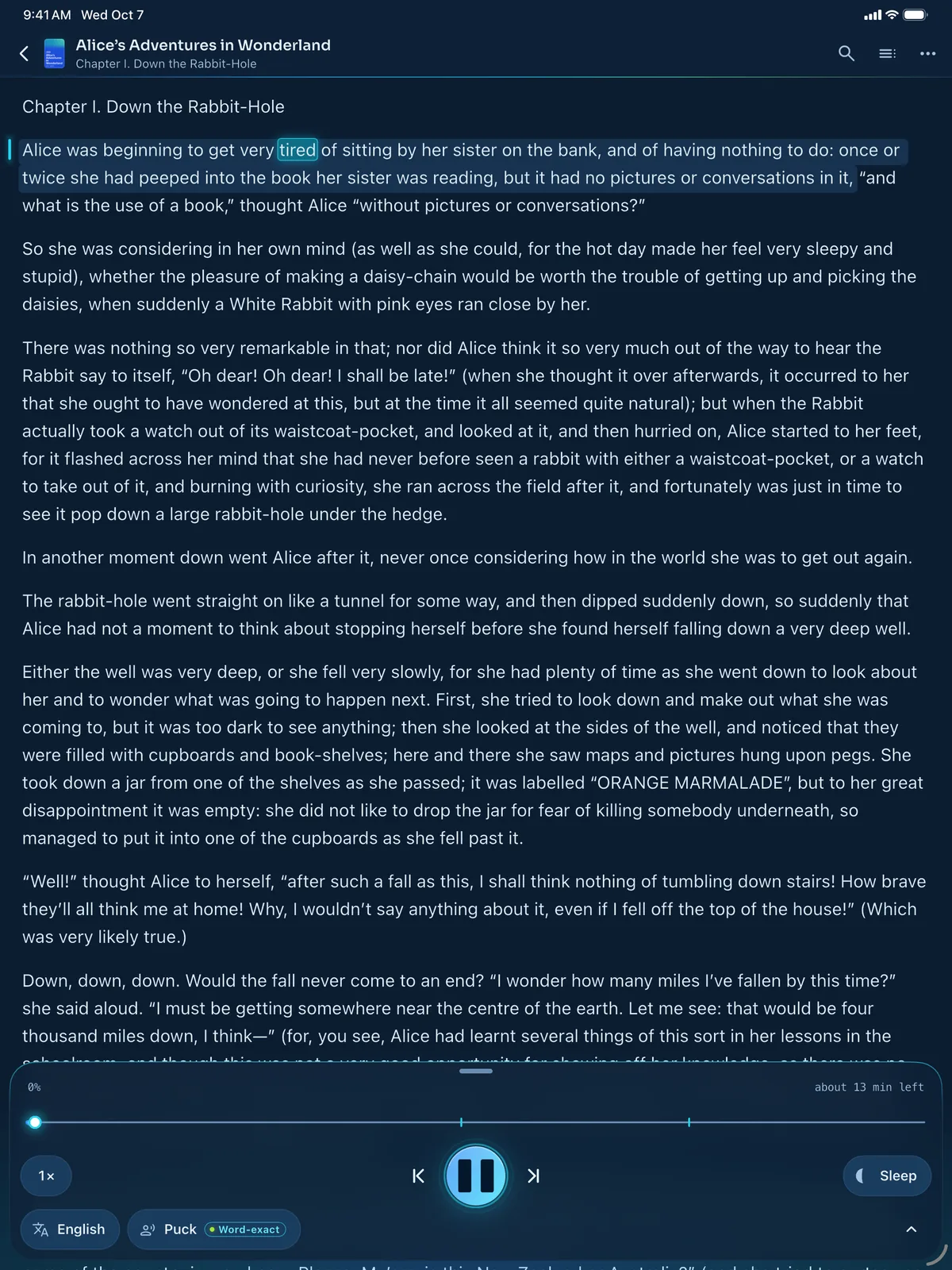
Chapter I. Down the Rabbit-Hole
So she was considering in her own mind (as well as she could, for the hot day made her feel very sleepy and stupid), whether the pleasure of making a daisy-chain would be worth the trouble of getting up and picking the daisies, when suddenly a White Rabbit with pink eyes ran close by her.
There was nothing so very remarkable in that; nor did Alice think it so very much out of the way to hear the Rabbit say to itself, “Oh dear! Oh dear! I shall be late!”
Tap a word on the phone to read from there
7:05 pmSunset
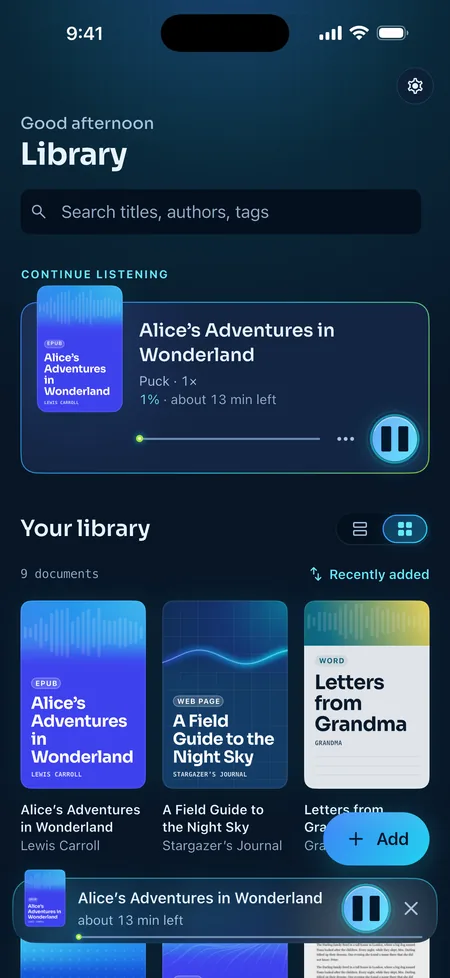
EPUB, PDF, Word, web pages, even a photo of a page. ReadSong reads what you already have. It ships no books of its own, just the first chapter of Alice in Wonderland to try.
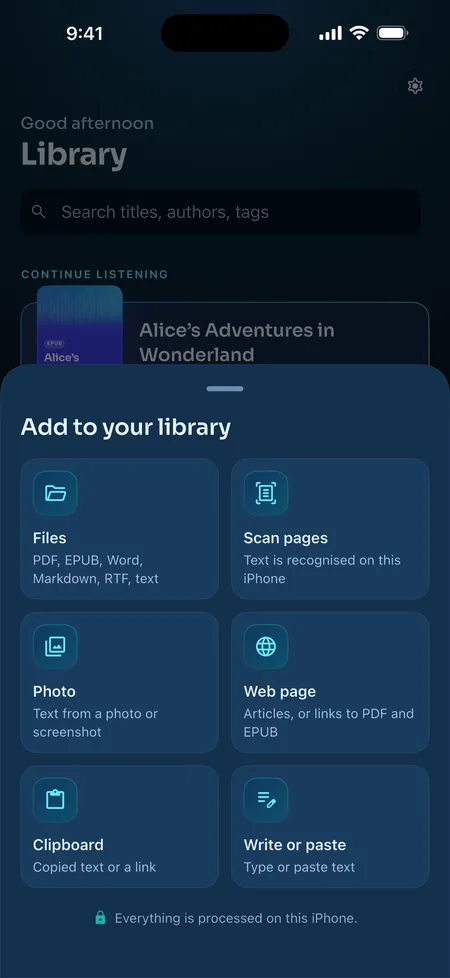
Headers and page numbers are skipped. Scanned pages are recognised on your iPhone.
With their cover and table of contents. DRM-free books only.
DOCX and DOC; DOCX headings become the contents.
Paste a link. ReadSong keeps the article and skips the menus.
Text in a picture, recognised on device.
Point the camera at a page, then listen.
Plain text with hard line breaks is joined up, so it reads smoothly.
Or add a copied link straight from the clipboard.
7:38 pmDusk
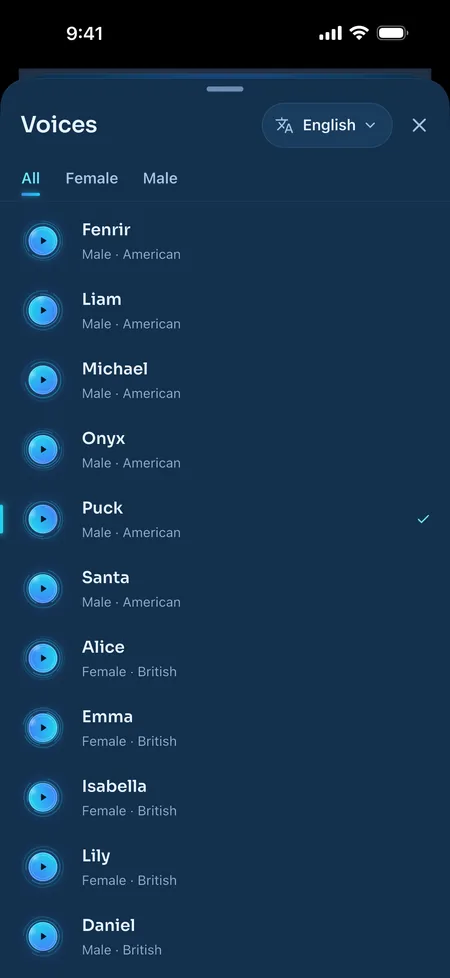
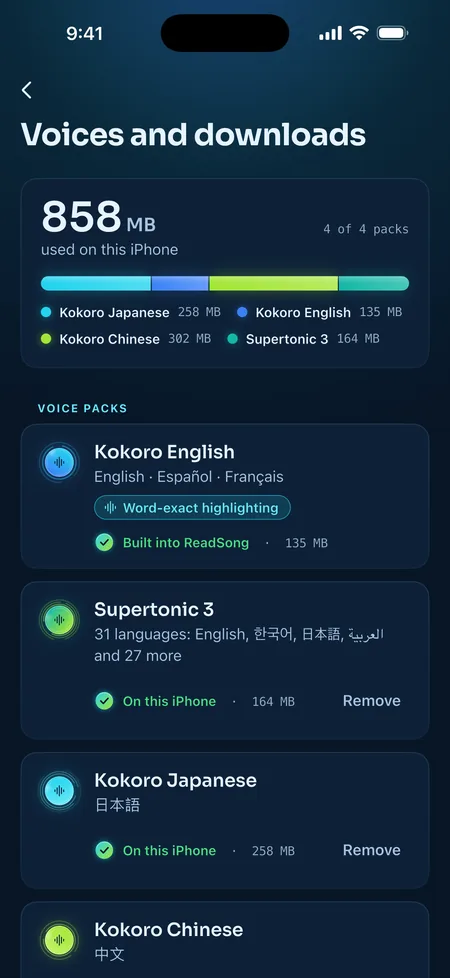
Natural AI voices in 32 languages, all running on your iPhone. Tap a lantern to hear one.
Arabic, Bulgarian, Chinese (Mandarin), Croatian, Czech, Danish, Dutch, English, Estonian, Finnish, French, German, Greek, Hindi, Hungarian, Indonesian, Italian, Japanese, Korean, Latvian, Lithuanian, Polish, Portuguese, Romanian, Russian, Slovak, Slovenian, Spanish, Swedish, Turkish, Ukrainian and Vietnamese.
ReadSong in English
EnglishOne of 32 languages
Hello! This is how I sound when I read your documents aloud.
PuckKokoro · American English
28 English voices are built in. Meet eight of them:
Real ReadSong voices, rendered by the app's own engines. On this page the words are lit by estimate; in the app, English, Spanish and French are word-exact.
8:12 pmBlue hour
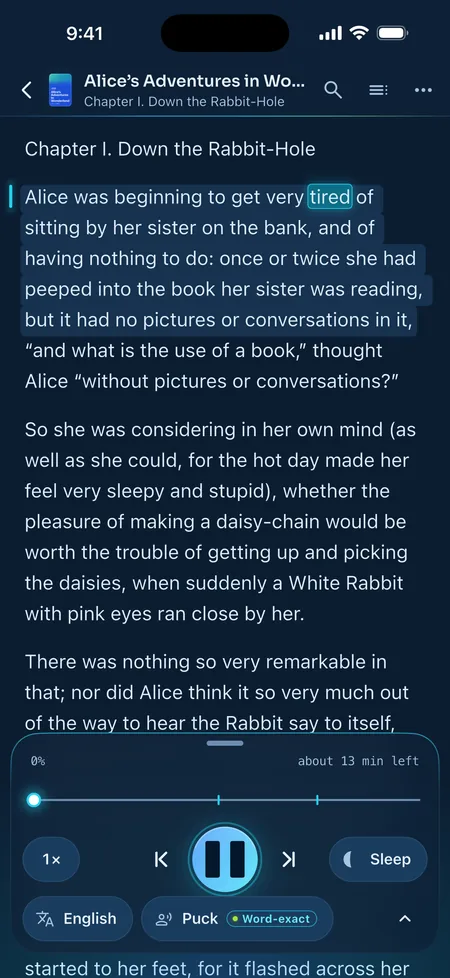
The sentence sits on a soft band and the spoken word glides along it. Tap any sentence to start right there.
Chapter I. Down the Rabbit-Hole
Deep: deep navy, for the evening
Every sentence is a play button. VoiceOver gets “Play from here” too.
Scroll or turn page by page. Jump with Contents, Go to page… or Find in document.
Every document reopens at its sentence, with its own voice, speed and language.
Five reading papers, Atkinson Hyperlegible for low vision, text from 14 to 32 pt and three line spacings.
Numbers, dates and ordinals read naturally. Teach the voices names with your own pronunciations.
9:20 pmNightfall
The voices live on your iPhone, not in the cloud. No account, nothing uploaded, and it keeps reading in airplane mode.
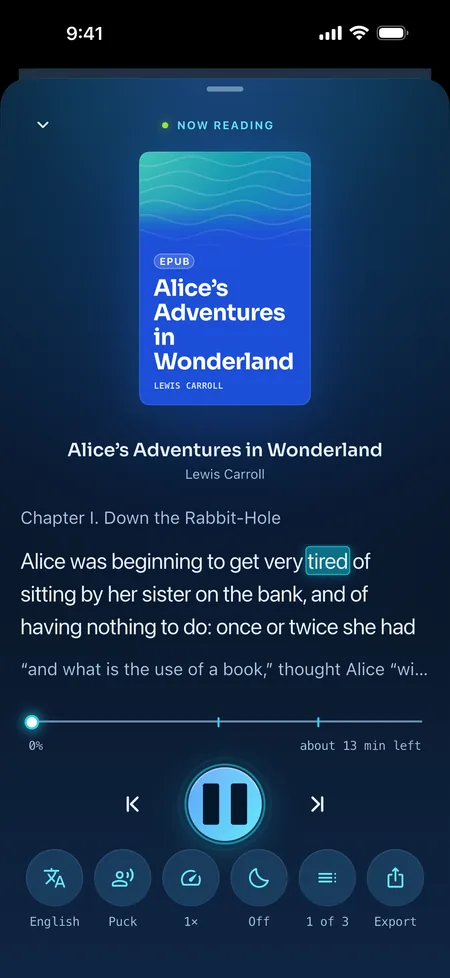
Now reading
Flip it. The story keeps going.
11:47 pmMidnight
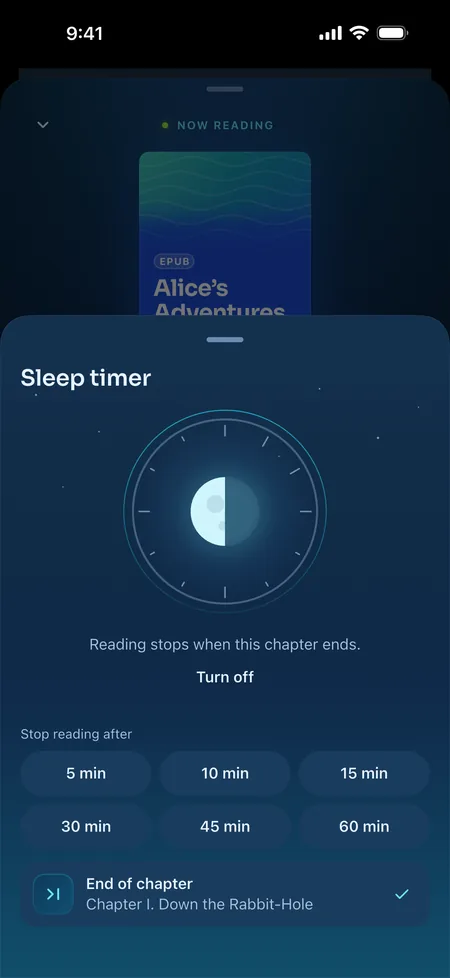
Lock the screen, set the sleep timer to the end of the chapter, and drift off. Your place is kept to the sentence.
Reading stops in 30 minutes, after the sentence.
Playback carries on in the background and in other apps, with lock-screen controls.
Six speeds, with the time left worked out for you.
Hear it at 1.25×about 10 min left at this speed
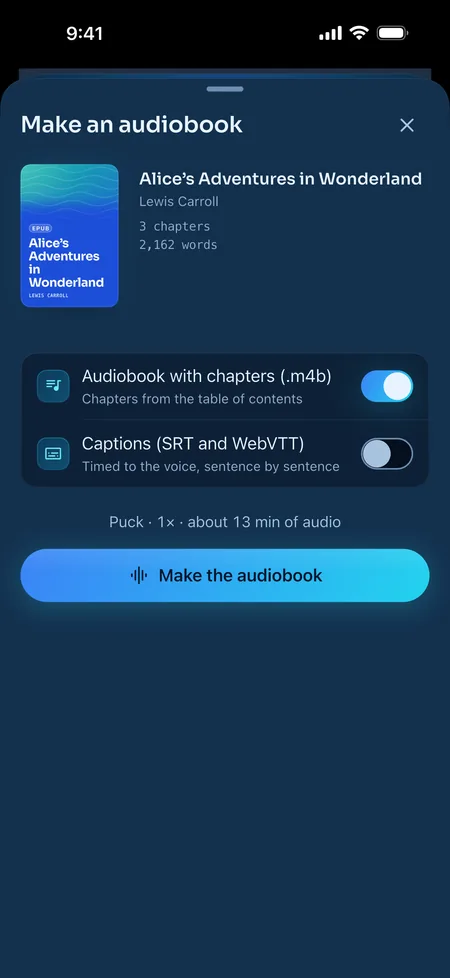
Turn a document into an .m4b audiobook with chapters from its table of contents, plus SRT and WebVTT captions timed to the voice. Made on your iPhone, shared wherever you like.
2:30 amStarlight
Real screens from ReadSong on iPhone and iPad. The library shows files a reader added; ReadSong itself comes with the first chapter of Alice only.
5:52 amFirst light
Every voice and every language is free to use, with a few minutes of listening each day. Go Pro for unlimited listening and audiobooks.
$0free download
Yearly Save 42%
$69.00a year
Just $5.75 a month
Monthly
$9.99a month
Billed every month
Renews automatically until cancelled. Cancel anytime.
US prices. Prices vary by country, and the App Store shows yours before you buy. Payment is charged to your Apple Account. Subscriptions renew automatically unless cancelled at least 24 hours before the end of the current period; manage or cancel them in your Apple Account settings. Use of the app is governed by Apple’s standard Licensed Application End User License Agreement, ReadSong’s Terms of Use and the Privacy Policy.
6:20 amMorning
Yes. The voices run on your iPhone, not on a server. English and Spanish work in airplane mode from the first launch. French needs a one-time 83 MB pronunciation model the first time you listen. Other languages need a one-time voice download (Supertonic 3, 165 MB; Japanese and Chinese have their own Kokoro voices). After that you can listen anywhere. Only web imports, voice downloads and buying or restoring Pro use the internet.
No. Your documents, and the speech made from them, never leave your iPhone. There are no ReadSong servers and no account. Everything stays in the app's private storage.
PDF, EPUB, Word (DOCX and DOC), RTF, HTML, Markdown and plain text. You can also add web articles from a link, photos and screenshots, printed pages scanned with the camera, and text you paste or type. Use “Open in ReadSong” from Files, Mail and other apps.
No. Store-bought ebooks are copy-protected (DRM), and ReadSong can't read DRM files. Kindle formats (MOBI, AZW) aren't supported. DRM-free EPUBs work, along with PDFs and documents you own.
32: Arabic, Bulgarian, Chinese (Mandarin), Croatian, Czech, Danish, Dutch, English, Estonian, Finnish, French, German, Greek, Hindi, Hungarian, Indonesian, Italian, Japanese, Korean, Latvian, Lithuanian, Polish, Portuguese, Romanian, Russian, Slovak, Slovenian, Spanish, Swedish, Turkish, Ukrainian and Vietnamese. The app itself is also translated into these 32 languages.
The sentence being read is highlighted and each word lights up as it's spoken. With the built-in English, Spanish and French voices the timing is word-exact. Other voices estimate it closely. You can also underline the spoken word, or highlight only the sentence.
Every voice and every reading feature is free to use, with a few minutes of listening each day (currently 3). The Alice in Wonderland sample chapter is always unlimited. ReadSong Pro removes the daily limit and adds audiobook export. It costs $9.99 a month or $69.00 a year in the US; prices vary by country and the App Store shows yours before you buy. There's no free trial at the moment.
Restore: Settings then ReadSong Pro then Restore purchases (or “Restore” on the plans screen). Cancel: Settings then ReadSong Pro then Manage subscription, or in iPhone Settings under your name and Subscriptions, at least 24 hours before renewal. Refunds go through Apple at reportaproblem.apple.com.
Your own books, read aloud. Free to download for iPhone and iPad.